On-Page SEO…
On-Page SEO has a reputation problem. Half the content you read treats it as painfully obvious — “just write good titles!” — and the other half buries it in jargon that makes it sound more complicated than it is. From my perspective there’s a genuinely short list of things that matter, and getting them right consistently matters far more than any old-school ‘black hat’ trick ever did.
I do use the Rank Math plugin to assist with this, but this is not about a plugin. This is the underlying practice: Tips for getting it right regardless of what’s running underneath.
Title tags…
The single highest-leverage On-Page element, and the one whose importance is easiest to overlook. For SEO, a title tag needs to do two jobs at once: tell search engines what the page is about, and make an actual reader actually want to find out more in a results list full of similar content.
- Front-load the primary keyword or phrase where it reads naturally — not stuffed, just present and early.
- Keep it under roughly 60 characters, or accept that Google will truncate it and write accordingly.
- Every title on the site should be distinct — duplicate titles across pages is one of the most common on-page mistakes to make, and one of the easiest to avoid.
I have been ‘lazy’ about this in the past, two word titles or no differentiating description, but I’ve come to realise it matters.
Meta descriptions…
Not a ranking factor directly, but they influence click-through rate, which absolutely does matter. Treat it as your one shot at ad copy for an unpaid listing.
- Write it for a human deciding whether to click, not for a search engine.
- Include the primary keyword if it fits naturally, but don’t force it.
- Keep it roughly 150–160 characters (not gospel, but widely accepted) — beyond that, it gets cut off.
Not always easy to summarise your content in a few characters but I guess Twitter (X) users are already well-versed in doing so. Again, this is one where I can be a little ‘lazy’ as I tend to use the post excerpt. Nothing wrong in this providing you have written the excerpt as an incentive for the reader to actually read your post.
Heading structure…
One H1 per page, used properly — not styled text that happens to look big. Subsequent headings (H2, H3) should reflect the actual structure of the content, not just be inserted for SEO’s sake.
- If you can outline the article from its headings alone and it makes sense, the structure’s doing its job.
- Don’t skip heading levels for styling reasons (jumping from H2 straight to H4 because it “looks right”) — it breaks both accessibility and the logical structure search engines are trying to read.
This is one I follow naturally. I like structure. For me, reading a website article is not like reading a book. Clear & concise headings followed by brief explanatory text makes the user experience so much better and the content (you are often researching) so much easier to follow.
Image alt text…
Alt text serves two purposes that often get conflated: accessibility (what a screen reader announces) and SEO (what search engines use to understand image content, since they can’t “see” the image itself). Good alt text serves both at once.
- Describe what’s actually in the image, specifically — “blue armchair in a bright living room” not “chair”
- Don’t keyword-stuff alt text. It doesn’t always read well to actual screen reader users, and it doesn’t help rankings the way people assume.
- Purely decorative images can have empty alt text (
alt="") — that’s OK, not an oversight, when there’s genuinely nothing informative to describe.
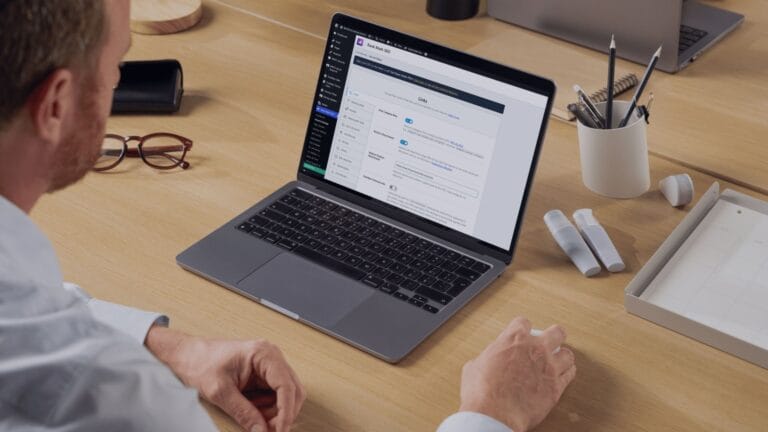
I’ve been using “blue armchair in a bright living room” for many of my images which does not seem appropriate for an image of a man at his desk using a laptop. I jest about that because this is another area I am a bit ‘lazy’ about (there’s an alarming pattern here) – displaying an image is not job done, it serves additional purpose and I often forget that.
Internal linking…
Probably the most underused aspect of on-page SEO. Every internal link is a vote of relevance from one page to another, and a way of keeping visitors on your site rather than bouncing after one article.
- Link to genuinely relevant related content, not just for the sake of hitting a link count.
- Use descriptive anchor text — “read my article on X” tells a reader and a search engine more than “click here.”
- Revisit older content occasionally to add links to newer, relevant articles.
Adding existing links to a new post is fairly standard practice. Updating older posts with new content, not so much. This is one area on BMCS I need to keep a close eye on. I have a structured plan for adding new content with many overlapping parts. Some of the articles I have already written are pre-empting articles that will follow, so I need to be mindful to go back and refresh them to integrate the new content.
Content structure and length…
There’s no single “correct” word count — that’s a myth worth retiring. The right length is however long it takes to actually answer the question the content’s aimed at, no more, no less.
- Short paragraphs, genuine white space, and scannable structure matter more than hitting an arbitrary number.
- If a topic can be covered properly in 400 words, padding it to 1,200 doesn’t help anyone — least of all the reader who gives up halfway through.
Are you still here? Good, just checking. Only one paragraph to go, and a summary.
URL structure…
Often overlooked because it’s usually set once and forgotten. Worth getting right from the start, since changing URLs later means redirects, which is its own maintenance overhead.
- Keep it short, descriptive, and readable — a human should be able to guess roughly what a page is about just from the URL.
- Avoid unnecessary parameters, dates, or category strings that add length without adding clarity.
I have to plead guilty on this one for BMCS as perhaps an oversight. Each of my main categories are actually a sub-category of ‘Feature Articles’ and my permalinks therefore include this is in the url. Whilst useful to the reader (as I’m not using breadcrumbs), they are arguably too long and don’t necessarily need to be defined as a feature article. It won’t be a fun job if/when I choose to revise this at a later date.
If you want some advice straight from Google, their own starter guide covers SEO fundamentals…
In Summary…
On-Page SEO as a task is a little more than just title tags, but not so technical as to be considered complicated. My tips hopefully cover most of what you are already intuitively doing. My own shortfall admissions hopefully show you how easy it can be to not do it properly.